SDC (skimmer)
SDC connects to RimuDAX over TCI. It decodes CW from the IQ stream of a panadapter, so it sees the whole width of the stream at once, not only one slice.
This page is for Windows and Linux. The screenshots are from SDC 19.06 on Linux.
You do not need sound devices or COM ports
SDC gets the IQ stream and its control from RimuDAX directly. You do not need a virtual audio cable, DAX sound devices, a virtual COM port tool, or a RimuCAT port.
Before you start
- SDC needs an IQ stream, so the panadapter must have a DAX IQ channel. Step 1 sets it.
- SDC asks for IQ at 96 kHz. RimuDAX offers 48, 96 or 192 kHz, where your radio model offers that rate.
- IQ streams do not work over SmartLink. Connect RimuSDR and RimuDAX to the radio on your local network.
Step 1 - RimuSDR
-
Start RimuSDR and connect to the radio on your local network.
-
Set the slice to DAX channel
1. -
Click the DAX button at the left of the panadapter, and set DAX IQ channel
1.
Step 2 - RimuDAX
-
Start RimuDAX. Connect it to the radio and select the RimuSDR station.
-
On Linux, click TCI in the Mode row. On Windows, there is no Mode row, because TCI is the only mode.
-
Make sure that the IQ Streams section shows the panadapter's frequency on row 1. It shows No Panadapter when the panadapter has no DAX IQ channel.
Step 3 - SDC
-
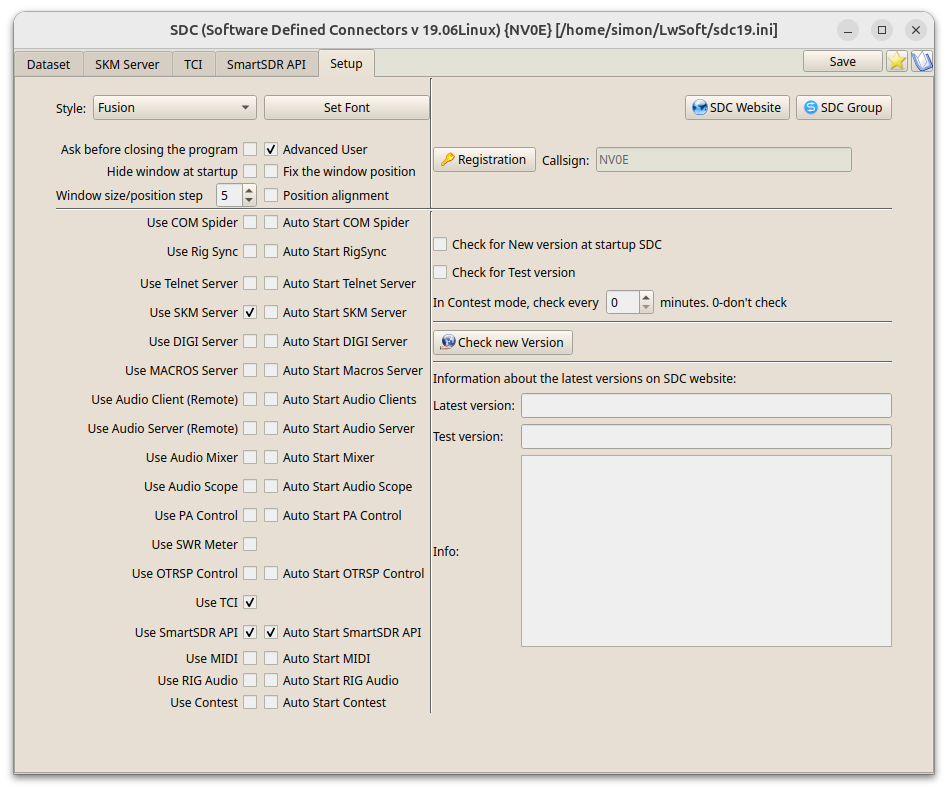
On the Setup tab, select Use TCI and Use SKM Server.
-
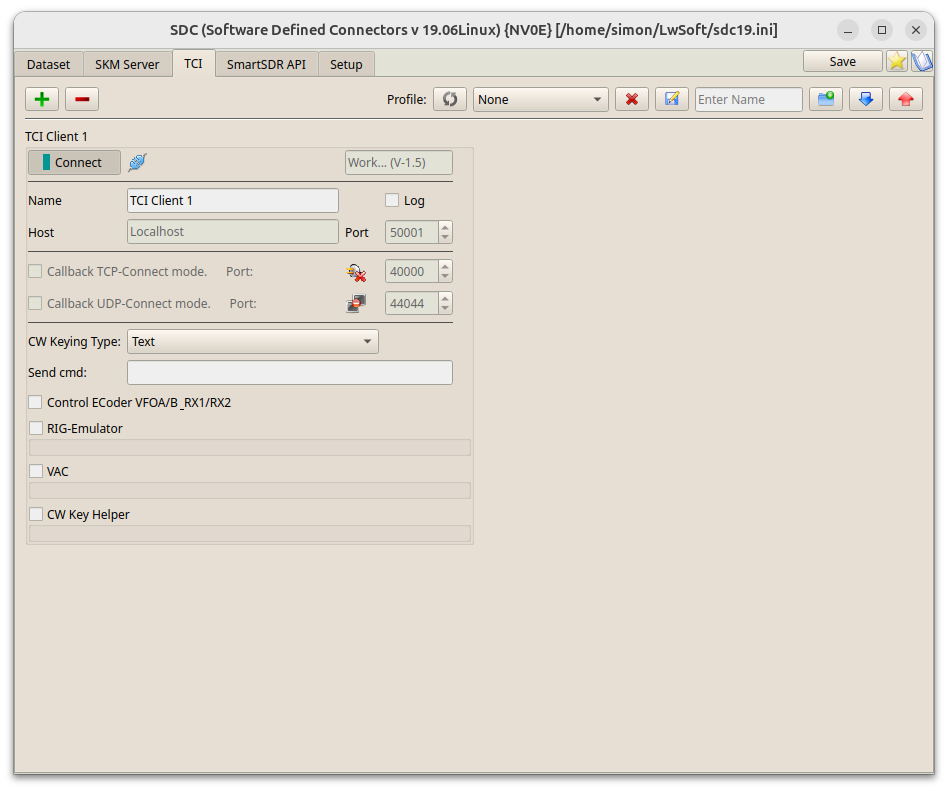
On the TCI tab, in TCI Client 1, set Host to
localhostand Port to50001. -
Click Connect.
The TCI client carries the IQ stream from RimuDAX to the skimmer.
-
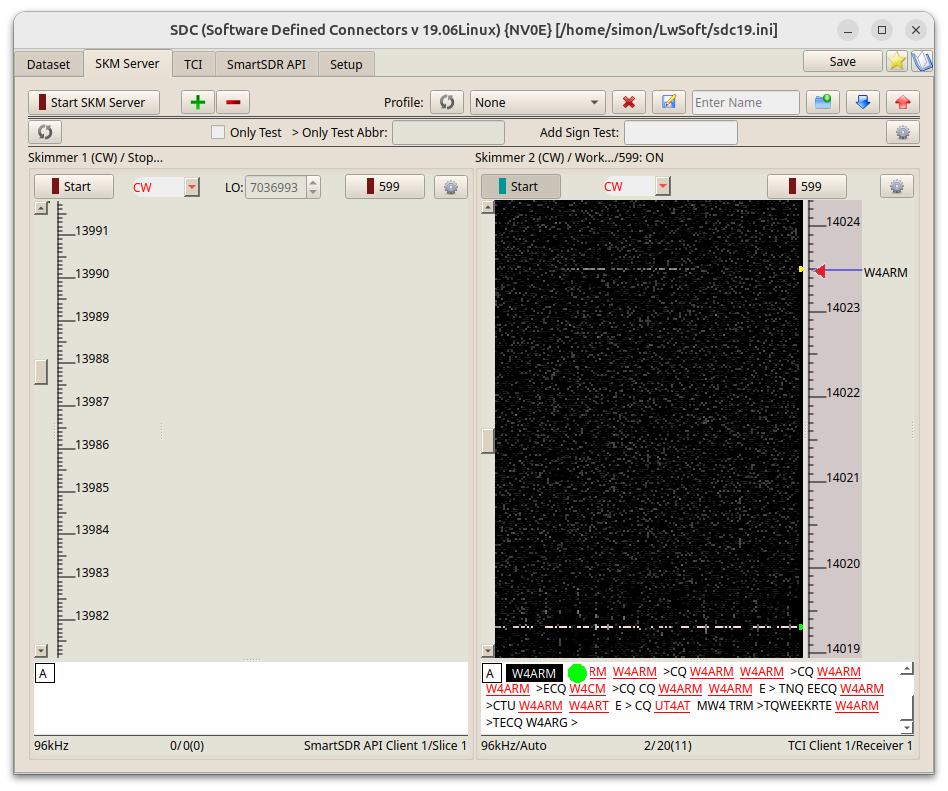
On the SKM Server tab, choose a skimmer. Set its control type to TCI Only and select Receiver 1.
The skimmer's status bar then shows
TCI Client 1/Receiver 1. -
Click the skimmer's Start button.
Step 4 - Check that it works
-
In RimuDAX, make sure that the Clients section shows one client, on port
50001. -
In the IQ Streams section, make sure that row 1 shows
96 kHzand SDC as its client. -
In SDC, on the SKM Server tab, make sure that the skimmer shows Work... and decodes CW. Its status bar shows
96kHzandTCI Client 1/Receiver 1.
Test results
We tested SDC 19.06 on Windows and on Linux, decoding CW from the IQ stream.
Troubleshooting
- No IQ
- Check that a DAX IQ channel is set on the panadapter that holds the slice. The IQ row in RimuDAX shows No Panadapter when none is.
- The IQ row says that IQ streams are disabled over SmartLink
- IQ streams need a local connection to the radio. Connect RimuSDR and RimuDAX on the radio's network.
- SDC does not connect
- Check that RimuDAX is running and connected to the radio. Check that the TCI
client host is
localhostand the port is50001.
For other problems, see Using TCI.