Winkeyer port
The Winkeyer port emulates a WinKey CW keyer and sends the keying to the radio's own CW engine. Use it with contest loggers that drive a WinKey, such as N1MM+, Win-Test, and TR4W.
There is no slice to select. CW keying is a radio-wide function.
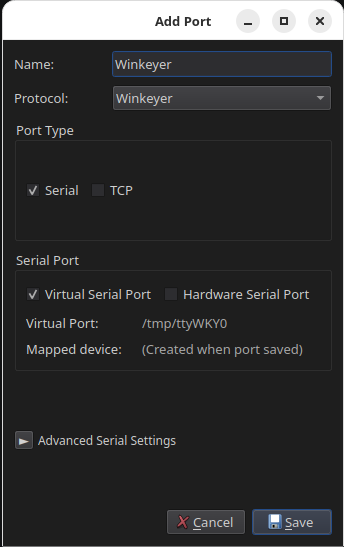
Virtual serial
- Give the port a name, for example
Winkeyer. - Set Protocol to Winkeyer.
- Set Port Type to Virtual Serial.
- Click Save.
- Note the device path shown in RimuCAT, for example
/tmp/ttyWKY0, and enter it as the keyer port in your logging software. - Set the keyer type in your software to WinKey and let it open the port.
Leave the Advanced Serial Settings alone
RimuCAT sets the WinKey line rate of 1200 baud with two stop bits by itself, whatever the advanced fields show.
RimuCAT identifies itself as a first-generation WinKey. Select the WK1 keyer type if your software asks which generation to use.
TCP
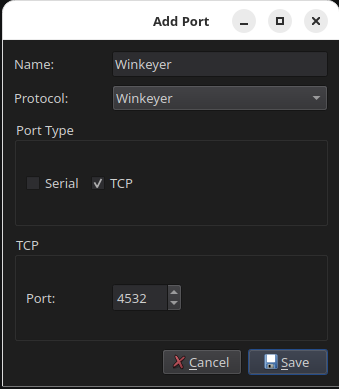
Use TCP for software that can reach a WinKey over the network. Loggers that expect a keyer on a COM port need the virtual serial option instead.
- Give the port a name, for example
Winkeyer. - Set Protocol to Winkeyer.
- Set Port Type to TCP.
- Enter an unused port above
1024. - Click Save.