Connecting RimuCAT
RimuCAT must be connected to the same FlexRadio station as RimuSDR before any port will work.
Start RimuSDR first
RimuSDR must be connected to the radio before RimuCAT starts. RimuCAT relies on the same station connection that RimuSDR establishes.
Connect
-
Connect RimuSDR to the radio.
-
Start RimuCAT from your applications menu, or from the RimuSDR interface.
RimuCAT opens in its own window alongside RimuSDR.
-
Select the same station that RimuSDR is connected to.
-
Click Connect.
RimuCAT shows a connected status once it has its own link to the radio.
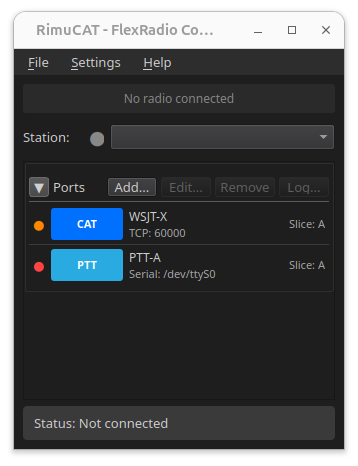
RimuCAT stays idle until you create a port
After connecting, RimuCAT sits idle. This is expected. RimuCAT exposes no endpoint of any kind until you configure one.
Continue to Port types.