Sub-band privilege display
A horizontal indicator below the panadapter frequency scale shows which license class segments are in view. It confirms at a glance that you are operating inside your authorized sub-bands.
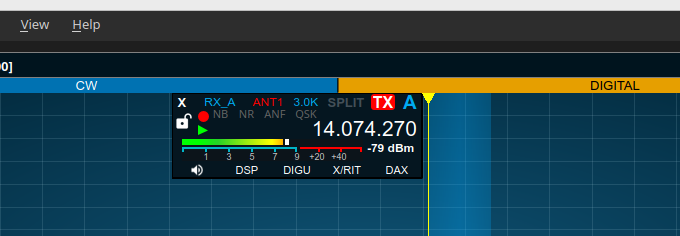
Color-coded sub-bands
Each license class - Technician, General, Amateur Extra, and so on - is given a distinct color, shown as a band below the frequency scale. As you pan or zoom the panadapter, the colors update to reflect the privileges for the visible segment.
Granular segment definition
Sub-band definitions can be as fine-grained as you need. The US plan defines separate segments for voice, CW, RTTY, and digital modes within each band. Any number of named segments can be defined, at any frequency granularity.
Changing the region
RimuSDR ships with a US privileges file, and the US region is selected by default. Other regions can be chosen, and a custom file for any region can be loaded.
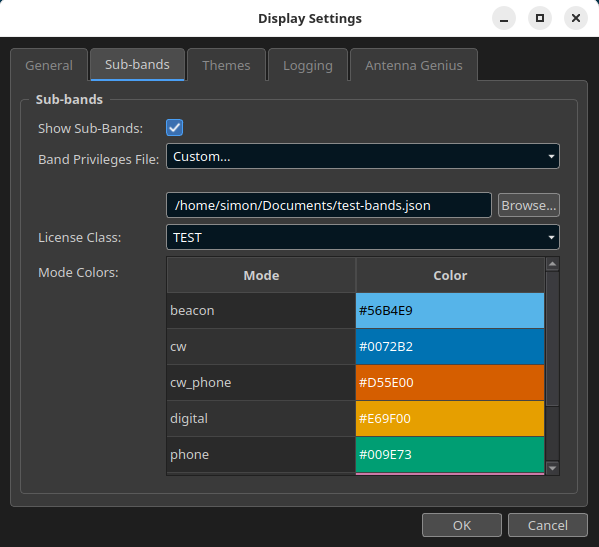
The file is JSON. It defines the license classes, the frequency ranges, and the display color for each sub-band. To write your own, see Band plan files.